Google Wallet
- 4.4
- Rating
- 1.00B
- Installs
- Free
- Price

 Analysis by App-foxy
I use Google Wallet as the place where everyday payment cards and digital passes stop feeling scattered across my phone. It is a free finance app from Google LLC, aimed at fast access to cards, passes, and tickets rather than at replacing a full banking app. That distinction matters: it can make the moment before paying much simpler, but it is not designed to manage every part of your financial life.
After spending time with it, I found the biggest benefit is not a flashy feature. It is the repeatable routine it creates. I can prepare the items I use regularly, keep them together, and reach the relevant card or pass without opening several unrelated apps. Google Wallet works best when you treat it as a carefully arranged everyday-access tool, not as a complete money manager.
How the everyday workflow feels
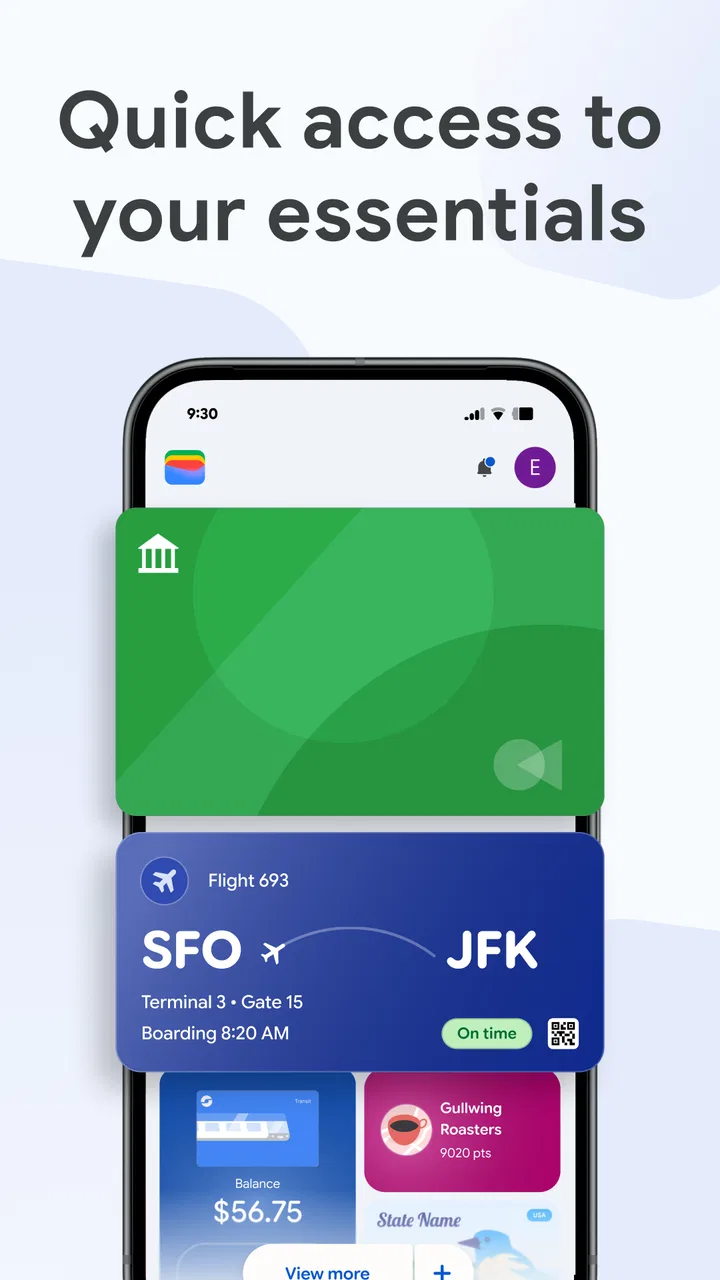
The basic experience is straightforward. I open the wallet, look through the cards or passes I have added, and select what I need. The app’s store summary focuses on cards, passes, and tickets, and that is a useful way to understand its role. It gathers those practical items in one place so I do not have to remember which separate app contains a ticket, membership pass, or payment card.
In-Depth Coverage of Google Wallet
For a normal shopping trip, the workflow is pleasantly short. Before leaving home, I make sure the card I intend to use is available. At the checkout, I open the wallet, choose the card if necessary, and follow the phone’s payment process. The advantage becomes more noticeable when I am in a hurry: I am not searching through email for a booking message or switching between several retailer applications just to find a barcode.
I also like the separation between the wallet and my bank’s main application. My bank app remains the place for balances, transfers, statements, and account administration. Google Wallet is the front door for the item I need at the point of use. That division keeps the payment moment focused, although it also means I still need the banking app when I want to check the wider context of a transaction.
A realistic example is a weekend trip. I might have a payment card, a transport ticket, and another event pass to use during the day. Instead of relying on three different inbox searches, I can organize those digital items in the wallet and check them from the same general area. The benefit is not that the app plans the trip for me; it is that the last-minute retrieval problem is smaller.
Google Wallet is also useful for people who frequently forget where they saved a barcode. A pass is more useful when it is available at the exact moment it is needed, and a dedicated wallet gives it a more obvious home than a screenshot buried in the photo gallery. I would still keep important booking details somewhere else, because the wallet should not be my only record of a reservation or purchase.
The app has broad reach, with over a billion installs and an average rating of 4.4 from around 2.2 million ratings. Those figures help explain why its basic approach feels familiar on many Android phones. It is rated for Everyone, costs nothing to download, and has been available since June 2011. Its minimum operating-system requirement is Android 9, so owners of older devices should check compatibility before planning a switch.
Preparing the wallet instead of improvising at checkout
The most important setup habit is to add only the items I genuinely expect to use. A crowded wallet is not automatically a better wallet. If I add every old pass, expired ticket, and rarely used card, the list becomes harder to scan when time matters. I prefer to remove or tidy anything that no longer belongs in my daily routine.
I also check each pass after adding it rather than assuming that the import was perfect. The useful details are the ones I need at the entrance or counter: the barcode, the relevant name, and any visible identifying information. If an item looks incomplete, I would rather resolve that before arriving than discover the problem while a queue is waiting behind me.
One non-obvious advantage is psychological as much as technical: a consistent location reduces decision-making. I no longer need to ask myself whether a ticket is in an email, a screenshot, or a retailer app. That does not guarantee that every organization will support the same wallet workflow, but it gives supported items a predictable destination.
Settings and habits worth checking
I recommend spending a few minutes reviewing the app and phone settings before relying on it. The exact choices available can depend on the device and Android version, so I would not blindly copy someone else’s configuration. The practical goal is to make access quick while keeping the phone’s normal security protections in place.
First, I check which payment option is selected as the default when more than one card is available. This is easy to overlook and can create unnecessary friction at a checkout. A default card should be the one I use most often, not simply the first card I added. When I want to use another one, I select it deliberately rather than discovering the mistake after the transaction has started.
Second, I review how I reach the wallet from the phone. If my device offers a convenient shortcut or system-level entry point, I use it only if it feels natural in my hand. A shortcut is valuable when it reduces searching; it is not valuable if I keep triggering it accidentally. I test the route at home, then keep the one that I can perform without thinking.
Security deserves equal attention. I prefer keeping the phone’s screen lock active and using the authentication method I already trust. A wallet is convenient because it puts sensitive payment access close at hand, so convenience should not mean removing the basic barrier that protects the device. I would not leave the phone unlocked in a public place simply because the wallet is installed.
You May Also Like

 Blood Strike: 2.5 Anniversary
Blood Strike’s Loadouts Turn Every Drop Into a Tactical Gamble
A close look at Blood Strike’s custom loadouts: how fast access to signature weapons reshapes its battle royale rhythm, rewards preparation, and narrows the gap between fights.

 Pandora - Music & Podcasts
Pandora’s Music Is Easy to Start, but Harder to Recover
Pandora’s strength is its low-effort path from a seed to a station. Its weak spot is how much confidence it asks you to place in connection, setup, and quiet recovery.

 8 Ball Pool
8 Ball Pool Is Built on Rivalries, Rematches, and Routine
A close look at the rivalries, rematches, shared routines, and unanswered safety questions that turn a quick pool match into a persistent mobile community.

 Samsung Music
Samsung Music’s Quiet Strength Is Playing What You Already Own
Its reach comes less from spectacle than from dependable access to a personal library. That simplicity is both the app’s strongest retention engine and its ceiling.

 AccuWeather: Weather Radar
AccuWeather Review: A Quick, Clear Forecast for Everyday Decisions
For everyday plans, the best forecast is the one you can understand quickly. AccuWeather makes rain timing, radar, and local conditions easy to act on, with a few trade-offs.

 Hill Climb Racing
Why Hill Climb Racing Still Turns Crashes Into One More Run
A tiny car, a bumpy hill and one more upgrade: Hill Climb Racing keeps resurfacing because its simple chaos makes every near-miss feel personal.
More From Our News Desk



Another useful habit is checking the wallet after changing phones, resetting a device, or modifying a payment card. A card may require attention again after a major device change, and passes may not all behave identically. I do this review before a trip or busy day, not at the airport gate or event entrance.
I also avoid treating screenshots as interchangeable with wallet passes. A screenshot can preserve a visual code, but it may not provide the same organized access or updated presentation as a proper pass. When a supported item can be added directly, I choose that route. I keep the original email or booking page as a backup because the wallet is a convenience layer, not a universal archive.
Small organizational choices that save time
Experienced use is mostly about preparation. I add a new ticket when I receive it, then open it once to confirm that I can find the code. I remove an expired item soon after using it. I make the most-used payment card the obvious starting point. None of these habits is complicated, but together they prevent the wallet from becoming another messy drawer.
For travel, I prepare the wallet while I still have reliable internet access and enough time to solve problems. I do not assume that every pass will behave exactly the same way in every location. Keeping the original confirmation available is sensible, especially when the pass contains information I may need beyond the entry code.
For family or shared planning, I am careful about whose card or pass is actually being used. A wallet on my phone is personal in practice, even if the event or trip involves other people. I would not add someone else’s sensitive payment information casually, and I would make sure each person has the item they need rather than assuming one phone will handle every situation.
Faster patterns for repeat use
The quickest workflow begins before the transaction. I decide which card is likely to be used, keep the phone accessible, and avoid opening unrelated apps at the counter. If I am carrying several passes, I open the wallet before reaching the entrance so I am not searching while moving through a queue.
When I have multiple cards, I use a simple rule: one default for routine purchases and a conscious selection for exceptions. This is faster and safer than repeatedly changing the default or adding cards without a plan. It also makes unexpected prompts easier to understand because I know which card I intended to use.
I find the wallet especially helpful for separating “stored for later” from “needed now.” I do not need to keep every possible pass visible in my mental list. I prepare the relevant ticket or card, then focus on the immediate task. This is a small workflow improvement, but it matters when I am carrying bags, navigating a station, or trying to enter an event on time.
Another effective pattern is a quick pre-trip inspection. I check the phone’s charge, confirm that the expected card or pass is present, and open each important item once. I am not testing every theoretical situation; I am verifying the exact things I will need. That habit catches avoidable problems while there is still time to use the original app, email, or physical card as a fallback.
For payments, I keep a physical card available even though I prefer the phone for convenience. This is not a criticism of Google Wallet specifically. It is a practical backup for a dead battery, a damaged phone, a device problem, or a merchant setup that does not work as expected. A digital wallet reduces what I carry, but it should not encourage me to abandon every alternative.
I also resist adding a card merely because it is technically possible. The more options I see at a rushed checkout, the more likely I am to select the wrong one. A smaller, intentional collection is easier to use than a complete catalog of every card I have ever owned.
Where the convenience has limits
Google Wallet is not a replacement for a bank application. I cannot use it as my main place for detailed budgeting, account support, transaction investigation, or broader financial planning. If those are my priorities, I should start with a banking app or a dedicated budgeting tool and use the wallet only for access to the payment method itself.
It is also not a guarantee that every ticket, pass, or card will fit neatly into one workflow. The experience depends on how the relevant issuer or service delivers its digital item and on how the phone handles it. I appreciate the centralization, but I still keep original confirmations for important travel and events because a wallet entry may not contain every detail from the source.
People who prefer physical cards may find the app unnecessary. If I already carry a slim wallet, dislike using my phone at a checkout, or regularly work with services that do not integrate into this kind of system, the extra setup may not repay itself. The app is strongest for someone who values reducing physical clutter and wants a repeatable phone-based routine.
There is also a trade-off between speed and attention. The wallet can make payment feel almost automatic, which is convenient but can make it easier to lose track of which card I selected. I deliberately glance at the chosen card before confirming when the purchase matters. That one-second check is worthwhile when different cards have different purposes.
Privacy and device security are part of the decision too. I am comfortable using a digital wallet only when I am comfortable securing the phone itself. I would not install it on a shared device where other people can freely access my profile or leave the phone without a screen lock. The app can simplify access, but the phone remains the security boundary.
Compared with a physical wallet, the digital version is lighter and easier to update, but it depends on the phone. Compared with a bank app, it is faster for presenting a card but much less useful for managing money. Compared with keeping tickets in email, it is more organized at the point of entry, but email remains better for searching the full booking conversation and retaining the original receipt. In my view, Google Wallet complements these alternatives rather than completely replacing them.
Who should use it and who should skip it
I would recommend it to Android users who regularly pay with cards, carry digital passes, or attend events where finding a barcode quickly matters. It is particularly useful for people who dislike carrying several physical cards and for travelers who want a consistent place to check supported tickets before leaving.
I would be more cautious recommending it to someone with an older phone, an unreliable device, or a strong preference for physical payment. The Android 9 minimum is an important practical boundary, and the phone’s condition matters just as much as the app. Someone who cannot keep a dependable backup should not make any phone-based wallet their only payment method.
I would also steer a user toward a banking or budgeting application if the real goal is monitoring spending, moving money, or handling account problems. Installing this app will not turn a payment-card holder into a personal finance dashboard. Choosing it for the job it actually performs is the key to avoiding disappointment.
My verdict after building a routine around it
Google Wallet earns its place on my phone because it solves a narrow problem well: getting to commonly used cards, passes, and tickets without unnecessary searching. The free price and broad Android availability make it easy to try, while the Everyone content rating keeps the basic proposition approachable for general users.
The app becomes noticeably better when I configure it with intention. I choose a sensible default card, keep the collection tidy, use a shortcut only when it genuinely saves time, and inspect important passes before I need them. Those habits are more valuable than constantly adding every available item. The real upgrade is a repeatable routine, not a larger wallet.
My main reservation is that convenience can encourage overreliance. I still keep original booking information and a physical payment fallback for important situations. I also remember that the app does not replace a bank account interface or a budgeting system. Used within those boundaries, it feels practical rather than overpromised.
With a 4.4 average and more than a billion installs, it is clearly a familiar choice for a large Android audience. I would recommend Google Wallet to anyone who wants a cleaner way to reach everyday payment cards and supported digital passes. I would skip it only if I rarely use phone-based payments, depend on older hardware, or need a full financial-management app instead. For my own routine, it is most useful as a quiet piece of organization: prepared once, reached quickly, and backed up sensibly when the situation matters.
FAQs for Google Wallet
01What is Google Wallet and how does it work?
Google Wallet is a digital payment system that allows users to store debit and credit card information on their smartphones for easy transactions. It works by using NFC (Near Field Communication) technology, enabling users to make secure payments at various retail locations by simply tapping their phone on a payment terminal.
02Is Google Wallet safe to use for transactions?
Yes, Google Wallet is considered safe for transactions. It uses encryption and secure servers to protect your financial information. Additionally, if your phone is lost or stolen, you can disable Google Wallet remotely to prevent unauthorized access. Users are also encouraged to set up fingerprint or PIN verification for added security.
03Can I use Google Wallet on all devices and platforms?
Google Wallet is available for Android and iOS devices, but the full functionality may vary depending on the platform and device. For instance, NFC payments are primarily available on Android devices. iOS users can still use Google Wallet for online transactions and peer-to-peer payments, but not for NFC payments in stores.
04What types of payments can I make with Google Wallet?
With Google Wallet, you can make various types of payments, including in-store purchases, online shopping, and peer-to-peer transactions. It supports payments through linked credit and debit cards, as well as your bank account. You can also use it to manage loyalty cards and gift cards for a seamless shopping experience.
05Are there any fees associated with using Google Wallet?
Google Wallet does not charge fees for most transactions, such as making purchases or sending money to friends and family. However, if you use a credit card to send money, there may be a small fee. It's always a good idea to check the terms and conditions or your bank’s policy for any additional charges.
Pros
- Seamless integration with Google services.
- User-friendly interface for all ages.
- Supports multiple payment methods.
- Secure transactions with encryption.
- Fast and efficient contactless payments.
Cons
- Limited international support.
- Requires a Google account.
- Not all banks are supported.
- High dependence on internet connectivity.
- Occasional app glitches reported.

Google Wallet
Gallery